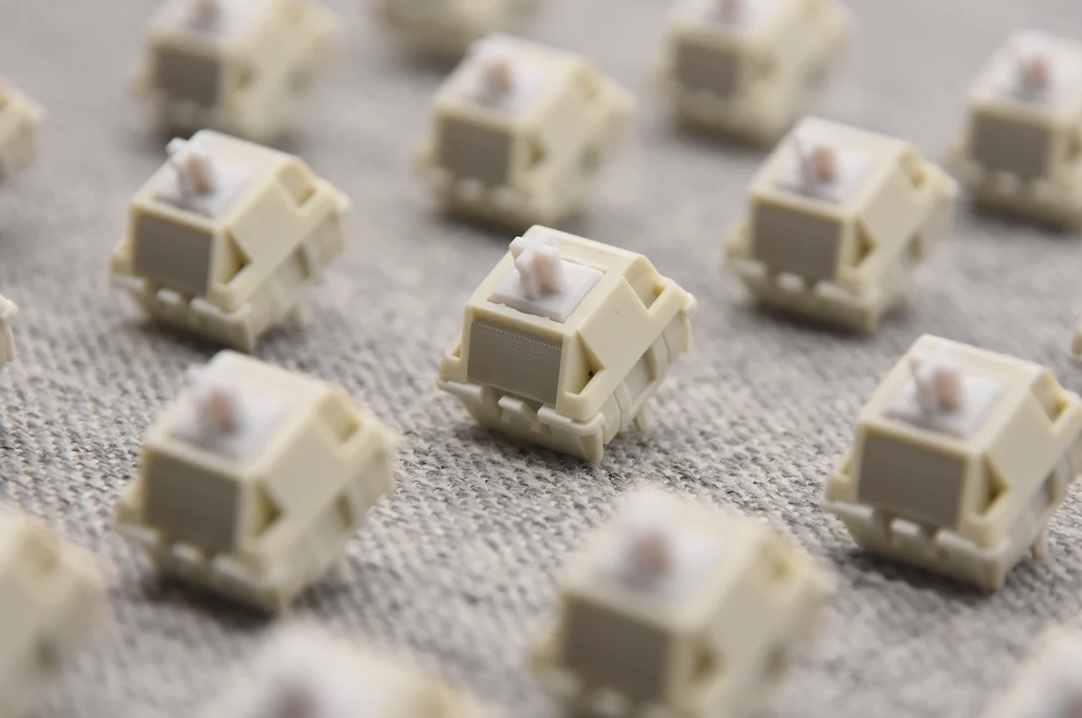
Linear Keyboard Switches Explained: Feel, Force, Travel, and Buying Decisions
When choosing a mechanical keyboard, the switches underneath the keycaps have a major influence on how the keyboard feels, sounds, and responds to every keystroke. Among the different mechanical switch types, linear keyboard switches have become a popular choice for gamers, everyday computer users, and mechanical keyboard enthusiasts.
Unlike tactile or clicky switches, linear switches offer a smooth keystroke without a noticeable bump or audible click during actuation. This straightforward design makes them particularly appealing to people who prefer consistent key movement, whether they are playing competitive games, writing documents, or working through long hours of typing.
However, not all linear switches feel the same. Differences in actuation force, spring design, stem materials, lubrication, and travel distance can significantly affect the overall typing experience.
In this guide, we’ll explain how linear mechanical switches work, explore their advantages and disadvantages, compare popular switch types, and help you choose the right option for your keyboard and daily activities.
What Are Linear Keyboard Switches?
Linear keyboard switches are mechanical keyboard switches that provide a smooth, uninterrupted movement from the top of a keypress to the bottom. They do not have a deliberately designed tactile bump or a mechanical clicking mechanism during actuation.
When you press a key, the stem moves downward against a spring until the electrical contact registers the keystroke. As you release the key, the spring pushes the stem back to its original position.
Because there is no pronounced tactile feedback, the resistance generally increases progressively throughout the keystroke rather than changing noticeably at a specific point.
This simple operating characteristic makes linear switches suitable for people who prefer predictable and consistent key movement.
How Do Linear Switches Work?
A traditional mechanical linear switch typically consists of several components:
Housing: The upper and lower sections that hold the internal components together.
Stem: The moving component connected to the keycap.
Spring: Provides resistance when pressing a key and returns the stem after release.
Metal contacts: Register the keystroke when the switch reaches its actuation point
When you press a key, the stem moves downward and compresses the spring. Once it reaches the actuation point, the electrical circuit registers the input. Releasing the key allows the spring to return the stem.
The absence of a tactile bump or click mechanism creates the characteristic smooth feel associated with linear mechanical switches.
What Makes Linear Switches Different from Tactile and Clicky Switches?
Mechanical keyboard switches are generally divided into three main categories: linear, tactile, and clicky.
The biggest difference is the feedback you feel or hear while pressing a key.
| Switch Type | Typing Feel | Sound Profile | Common Users |
| Linear | Smooth and consistent | Varies from quiet to relatively loud | Gamers, everyday typists |
| Tactile | Noticeable bump during actuation | Usually moderate | Writers, programmers |
| Clicky | Tactile feedback with an audible click | Typically louder | Users who enjoy audible feedback |
Linear switches are a good option if you prefer uninterrupted key travel. Tactile switches provide a physical indication of actuation, while clicky switches combine that sensation with an audible clicking sound.
Neither type is universally better. The right choice depends on your personal preferences, working environment, and typing habits.
What Are the Key Features of Linear Keyboard Switches?
Understanding the technical characteristics of linear switches can make it easier to compare different models before purchasing.
Smooth and Consistent Keystrokes
The most recognizable feature of linear switches is their uninterrupted movement. Since there is no intentional tactile bump, users experience relatively consistent resistance throughout the keypress.
This can be particularly useful in gaming scenarios that involve repeated key inputs. For example, players who frequently use WASD movement controls may appreciate the predictable feel when pressing and releasing keys.
For everyday typing, the smooth movement can also feel comfortable, although some users may prefer the physical feedback provided by tactile switches.
Actuation Force and Travel Distance
Two important specifications when comparing linear switches are actuation force and travel distance.
Actuation force: The amount of force needed to register a keystroke.
Pre-travel distance: How far the stem moves before the keystroke registers.
Total travel distance: The full distance the stem can move before reaching the bottom.
For example, the CHERRY MX2A Red is a well-known linear switch with the following specifications:
| Specification | CHERRY MX2A Red |
| Switch Type | Linear |
| Actuation Force | 45 cN |
| Pre-Travel | 2.0 mm |
| Total Travel | 4.0 mm |
| Rated Durability | Over 100 million keystrokes |
| Factory Lubrication | Yes |
For a model-specific reference, the CHERRY MX2A Red product page lists 45 cN actuation force, 2.0 mm pre-travel, and 4.0 mm total travel. These figures apply to this model, not every red or linear switch. Manufacturer specification: https://www.cherry.de/en-us/product/mx2a-red
Keep in mind that actuation force and bottom-out force are different measurements. A switch that requires 45 cN to actuate may require considerably more force to press all the way down.
Sound Profile and Typing Feel
Linear switches do not have a dedicated click mechanism, but that doesn’t mean they are completely silent.
Their actual sound depends on several factors, including:
Housing and stem materials.
Spring design and spring noise.
Factory lubrication.
Keyboard case and plate construction.
Keycap material and thickness.
Whether the switch includes sound-dampening components.
Some linear switches produce a deeper, softer sound, while others have a brighter and more noticeable clack.
Housing materials can affect acoustic response, but labels such as nylon or polycarbonate do not predict sound reliably on their own. Geometry, stem fit, lubrication, plate, keycaps, mounting, and recording conditions can change the result.
If you work in a shared office or frequently type during video meetings, silent linear switches with integrated dampening components may be worth considering.
What Are the Advantages and Disadvantages of Linear Switches?
Linear switches offer several practical benefits, but they also have some limitations.
Benefits of Using Linear Keyboard Switches
- Smooth key movement
Without a tactile bump, linear switches provide consistent movement that many users find comfortable.
- Suitable for gaming
Their predictable actuation and reset behavior can work well for repeated inputs in FPS, MOBA, and other fast-paced games.
- Different force options
Linear switches are available in light, medium, and heavy spring configurations, allowing users to choose a resistance level that feels comfortable.
- Flexible sound customization
Different housing materials, lubrication options, and silent switch designs provide plenty of opportunities to customize the keyboard’s sound.
Potential Drawbacks to Consider
Despite these advantages, linear switches are not ideal for everyone.
First, the lack of tactile feedback may make it harder for some typists to recognize when a key has actuated. Users who are accustomed to tactile switches might need time to adjust.
Second, lightweight switches can register accidental keystrokes if you tend to rest your fingers heavily on the keys.
Finally, regular linear switches are not necessarily quiet. If noise is an important concern, choosing a silent linear model is generally more effective than assuming every linear switch will produce little sound.
How Do You Choose the Best Linear Keyboard Switches?
Choosing the right linear switches involves more than looking at their color or advertised weight. Consider how you use your keyboard and which characteristics matter most.
What Actuation Force Is Best for Your Typing Style?
Use actuation force as a starting filter, not a comfort score. Compare the manufacturer’s measurement point and unit, then consider bottom-out feel, spring progression, and your habit of resting fingers on keys.
Although manufacturers use different specifications, the following ranges can serve as a general starting point:
| Force Range | General Feel | Suitable Applications |
| 35–45 gf | Light | Gaming, light-touch typing |
| 45–55 gf | Medium | Everyday typing and gaming |
| 55–65 gf | Medium-heavy | Users who prefer more resistance |
| 65 gf and above | Heavy | Users who enjoy firmer keypresses |
These are approximate selection ranges, not universal industry classifications. Also, check whether a manufacturer is quoting operating force, initial force, or bottom-out force.
If you spend several hours typing every day, try different spring weights before choosing a full set.
How Should You Balance Light Springs and Bottom-Out Feel?
Light linear switches require less pressure to actuate, which can make repeated keypresses feel effortless. They are often preferred by gamers and people who enjoy a responsive typing experience.
However, they may also increase the likelihood of accidental inputs, especially for users who naturally rest their fingers on the keyboard.
Heavier switches require more deliberate pressure. Some typists prefer this because the additional resistance helps them maintain control over their keystrokes.
If you are unsure, medium-weight switches are a reasonable starting point.
How Do Materials, Springs, and Lubrication Affect Performance?
The materials and internal construction of a switch influence its smoothness, stability, sound, and overall feel.
Stem materials: POM is commonly used in mechanical switches because of its low-friction characteristics. Different stem designs and manufacturing finishes can also influence how smoothly a switch moves.
Housing materials: Nylon and polycarbonate are common housing materials. Their stiffness and acoustic properties can influence the sound produced during typing.
Spring design: Spring length, weight, and construction affect resistance and the return sensation. Longer springs, for example, may create a different force profile from conventional springs.
Lubrication: Factory lubrication can reduce friction between moving components and help minimize unwanted scratchiness or spring noise. Pre-lubed switches are convenient for users who do not want to modify every switch manually.
Enthusiasts who enjoy customizing their keyboards may also experiment with additional lubrication or switch films, although these modifications are not necessary for every build.
Are Linear Switches Suitable for Gaming and Office Work?
Yes. Linear switches can work well in both environments, although the ideal model may differ.
For gaming: Smooth key movement and predictable actuation make linear switches a popular choice for FPS and action games. Lighter switches may appeal to players who frequently repeat movement inputs, while shorter pre-travel distances can make a keyboard feel more responsive.
However, a shorter actuation distance does not automatically make someone a better or faster player. Practice, keyboard latency, and personal control also matter.
For office work: Medium-weight linear switches can provide a comfortable experience for everyday typing, coding, and document editing. If you work near other people, silent linear switches may be a better option.
Ultimately, your typing technique and personal preferences are just as important as the switch specifications.
What Are the Most Popular Types of Linear Keyboard Switches?
Linear switches are available in many different configurations. Understanding the common categories can help narrow down your options.
Red, Black, and Yellow Linear Switches
Red, Black, and Yellow are familiar color names in the mechanical keyboard market.
Red switches: The CHERRY MX2A Red is one concrete example of a 45 cN linear switch, but other products with red stems may use different springs and travel distances.
Black switches: CHERRY MX Black is a recognizable heavier-family example, but other manufacturers’ black-labeled switches do not share one universal force specification.
Yellow switches: Models vary widely across Gateron and other brands. Check the exact product datasheet rather than assuming Yellow always falls between Red and Black.
An important point: switch colors are not universal technical standards. Different brands may use the same color for switches with different actuation forces, travel distances, and internal designs.
Always check the specifications of the exact model rather than choosing based on color alone.
Standard vs. Silent Linear Switches
Standard linear switches focus on smooth key movement without a dedicated click mechanism.
Silent linear switches take this a step further by incorporating dampening components that reduce noise when the stem moves up and down.
This makes silent models worth considering for:
Shared office environments.
Libraries and study spaces.
Home offices with multiple people working nearby.
Late-night typing and gaming.
Remember that silent switches reduce switch-generated noise rather than eliminating every sound. Keycap impact, stabilizers, and the keyboard case can still produce audible noise.
Pre-Lubed vs. Unlubed Linear Switches
Pre-lubed linear switches have lubricant applied during manufacturing to reduce friction between moving components.
They are convenient for users who want a smoother typing experience without spending time modifying individual switches.
Unlubed switches provide a more straightforward starting point for customization. Enthusiasts can apply their preferred lubricant and adjust the switch according to their desired feel.
If you are new to mechanical keyboards, pre-lubed switches are often a practical choice. More experienced users may prefer unlubed models when building a customized keyboard.
Before purchasing, you can explore different linear keyboard switches to compare available models and find options that match your preferred typing feel.
A Practical Linear-Switch Buying Checklist
Start with a known reference switch, then compare up to three candidates on the same dimensions: actuation force, bottom-out or spring weight, pre-travel, total travel, factory lubrication, and whether the switch is a silent design.
Next, check fit before feel: mechanical switch type, MX-style stem where relevant, 3-pin or 5-pin mounting, plate and PCB support, and whether the keyboard uses hot-swap sockets or soldered connections.
Finally, try the switches in the same keyboard with the same keycaps. Rate accidental presses, comfort during a normal typing session, and sound in your own room; an attractive specification does not guarantee the preferred experience.
Conclusion
Linear keyboard switches are a versatile option for mechanical keyboard users who prefer smooth, consistent keystrokes without a noticeable tactile bump or mechanical click.
They can be suitable for gaming, office work, programming, and everyday typing. However, choosing the right model requires looking beyond the basic linear classification.
Actuation force, travel distance, housing materials, spring construction, lubrication, and sound characteristics all contribute to the overall experience.
If you are building your first mechanical keyboard, a medium-weight linear switch can be a sensible starting point. If you are an experienced enthusiast, experimenting with different materials, spring weights, and silent designs can help you find a setup that better matches your preferences.
The best linear switch is ultimately the one that feels comfortable and performs well for the way you use your keyboard.
FAQs
1. Are linear keyboard switches good for gaming?
Yes. Linear keyboard switches are popular among gamers because they provide smooth key movement and consistent actuation without a tactile bump. They can work particularly well in FPS and other games involving repeated movement inputs. However, the ideal switch weight and travel distance depend on personal preference.
2. Are linear switches quieter than tactile and clicky switches?
Linear switches generally avoid the dedicated clicking mechanism found in clicky switches, but they are not necessarily silent. Their actual noise level depends on the switch construction, lubrication, keycaps, and keyboard case. Silent linear switches with integrated dampening are usually a better choice when noise reduction is a priority.
3. How long do mechanical linear keyboard switches last?
Rated durability is a manufacturer’s test or design specification rather than a promise of the same lifespan in every keyboard. CHERRY lists more than 100 million keystrokes for its MX2A Red model; environmental conditions, installation quality, and actual usage still matter.
4. Are linear switches good for typing?
Yes. Many people enjoy linear switches for everyday typing because of their smooth and consistent movement. However, users who rely on physical feedback to recognize key actuation may prefer tactile switches. The best choice depends on typing habits and personal comfort.
5. What is the difference between linear and tactile switches?
Linear switches move smoothly without a deliberately designed tactile bump. Tactile switches provide a noticeable change in resistance during the keystroke, giving users physical feedback when pressing a key. Linear switches are often preferred for smooth movement, while tactile switches appeal to people who want more feedback.
6. Can I replace my keyboard’s switches with linear switches?
It depends on your keyboard’s design. Hot-swappable mechanical keyboards generally allow users to replace compatible switches without soldering. However, you must check the PCB socket type, pin configuration, switch dimensions, and compatibility. Optical and Hall Effect keyboards may require their own specific switch designs and cannot automatically accept conventional mechanical switches.
7. Are red switches and linear switches the same thing?
Red switches are commonly linear, but the two terms are not interchangeable. Linear describes the switch’s operating characteristic, while Red is a color designation used by certain manufacturers. Other linear switches may be labeled Black, Yellow, Silver, or by entirely different product names.